Laravel Backend Optimization: How to Identify and Eliminate Slow Database Queries
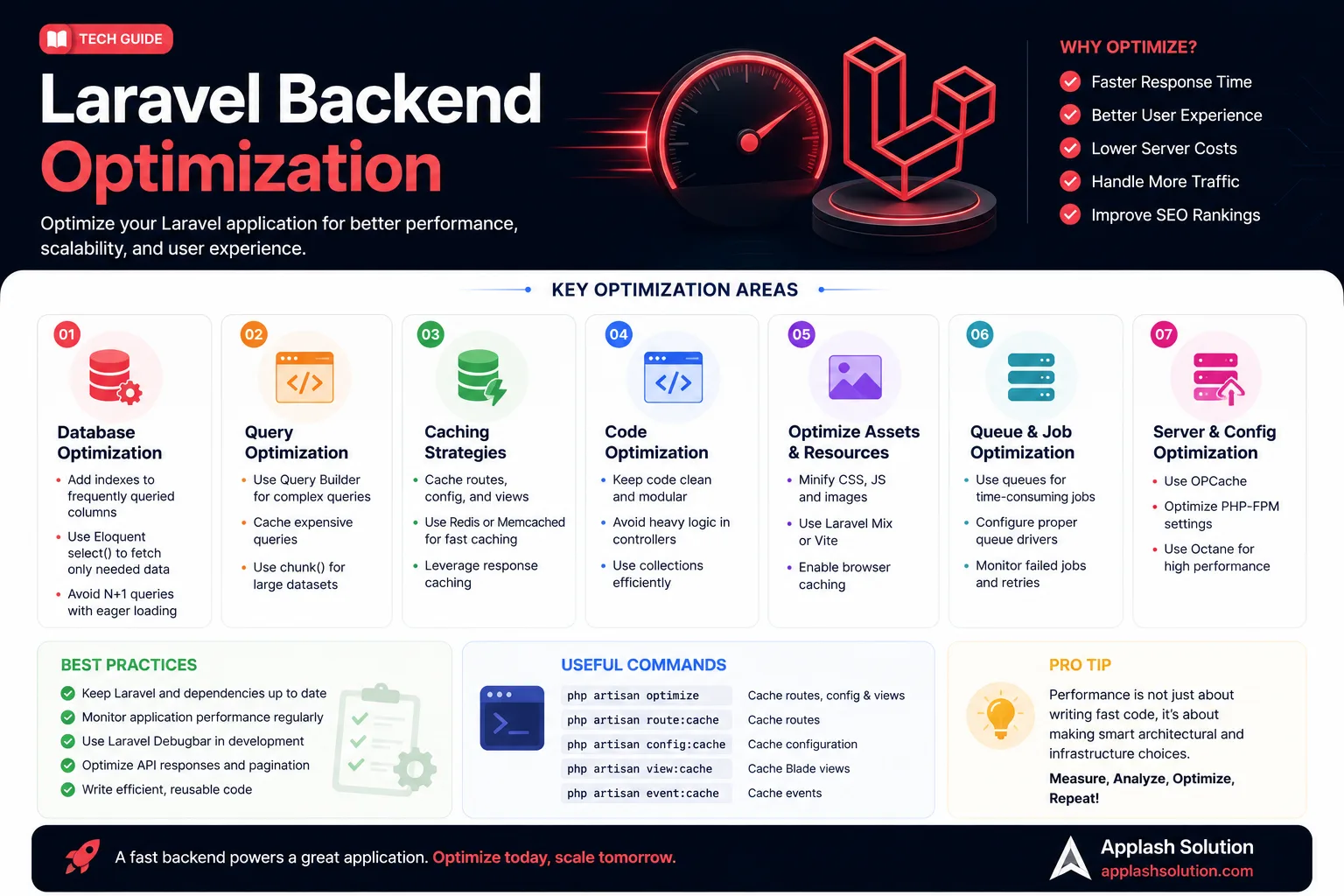
The speed and elegance of Laravel’s Eloquent ORM (Object-Relational Mapping) makes complex software development accessible. However, that layer of abstraction can hide the underlying database queries executing behind the scenes. As your application data scales into hundreds of thousands of rows, unoptimized code patterns manifest as high server response times and database CPU spikes.
To maintain sub-100ms response times, developers must know how to inspect, isolate, and refactor slow database interactions.
1. The Silent Performance Killer: The N+1 Query Problem
The most common performance bottleneck in Laravel applications is the N+1 Query Problem. This happens when your code fetches a parent dataset and then executes a separate database query for each individual record to pull its relational data.
The Problem Code:
PHP// Triggers 1 query for books, plus 100 separate queries for each author
$books = Book::all();
foreach ($books as $book) {
echo $book->author->name;
}
The Optimization: Eager Loading
By appending the with() method, Eloquent combines this operation into just two highly efficient database queries, regardless of how large the collection grows:
// Triggers exactly 2 queries: "SELECT * FROM books" and "SELECT * FROM authors WHERE id IN (...)"
$books = Book::with('author')->get();

foreach ($books as $book) {
    echo $book->author->name;
}
Production Safeguard: Prevent this issue from sliding into production by adding
Model::preventLazyLoading(! app()->isProduction());to your application'sAppServiceProvider.phpfile. This throws an explicit exception during local development whenever an N+1 query is accidentally introduced.
2. Profiling and Identifying Slow Database Queries
You can't optimize what you don't measure. Use these tools to identify bottlenecks:
Laravel Pulse: A powerful, first-party application performance monitoring (APM) tool that tracks slow queries, high CPU usage, and memory bottlenecks directly in real time.
Laravel Debugbar / Clockwork: Excellent browser extension integrations that show a chronological breakdown of every SQL statement executed during a web request, along with memory usage and execution times.
3. Structural SQL Optimizations for Eloquent
Use Selected Columns Instead of SELECT *
By default, Eloquent queries pull down every single column from a table row (SELECT *). If a table contains heavy text or JSON fields, this consumes significant memory and increases I/O overhead. Scale back memory footprints by querying only the exact fields your layout requires:
// Optimized: Fetches only necessary data fields into application memory
$users = User::select(['id', 'name', 'email'])->latest()->paginate(15);
Offload Data Aggregations to the Database Engine
Never pull an entire Eloquent collection into PHP memory just to calculate a basic count or average value. Let the database engine process it natively:
PHP// ❌ Insecure/Slow: Loads thousands of records into PHP memory to count them
$count = User::all()->count();
// Optimized: Executes an efficient SQL aggregate function natively
$count = User::count();
Implement Strategic Database Indexing
If your application frequently filters rows using specific query paths (such as where('status', 'active')), ensure those database columns are properly indexed via a Laravel database migration file:
Schema::table('orders', function (Blueprint $table) {
    $table->index(['user_id', 'status']); // Creates an optimized compound index path
});
Work with Applash
Have a process you want to automate?
Tell us how your business works today. A senior person reads every message and replies within one business day.