Supabase for Enterprise: Hardening Security with PostgreSQL Row-Level Security (RLS)
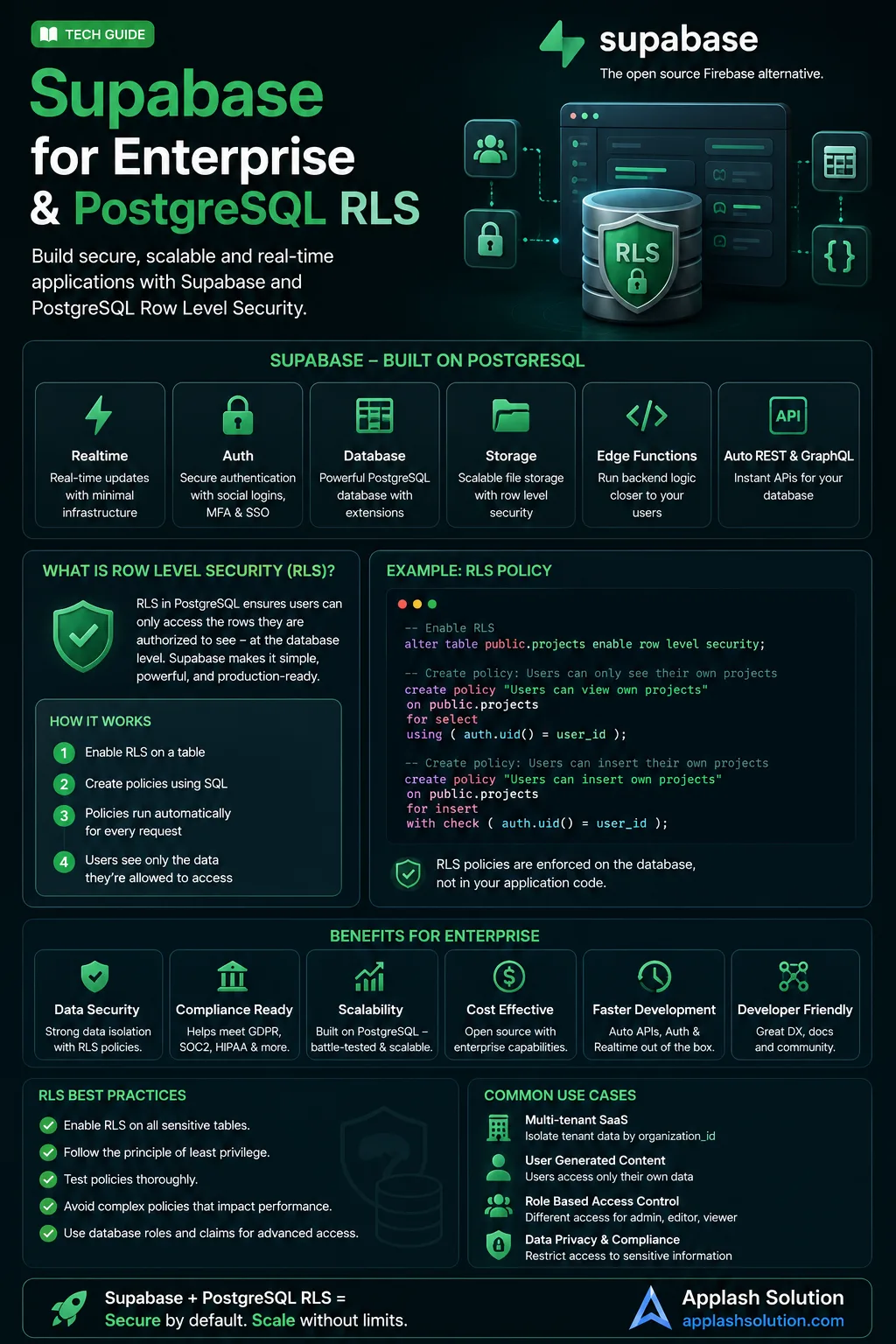
Supabase has transformed modern application development by providing teams with a fully managed, scalable backend infrastructure built entirely on top of PostgreSQL. When building enterprise architectures where clients write data directly via front-end SDK clients, traditional backend application controllers are bypassed.
In this architectural paradigm, your primary line of defense shifts entirely to the database engine via PostgreSQL Row-Level Security (RLS). If RLS is misconfigured, your entire system becomes vulnerable to unauthorized data exfiltration.
1. Demystifying Row-Level Security (RLS)
By default, standard relational database tables return all matching rows to any query that possesses read permissions. Row-Level Security flips this paradigm on its head. When RLS is enabled on a table, every single SQL statement (SELECT, INSERT, UPDATE, DELETE) must pass a set of explicit security validation rules before returning data.
Think of RLS as an automated WHERE clause that the database engine invisibly appends to every query based on the active user's authentication context.
2. Setting Up Enterprise RLS Policies
When working with Supabase, incoming client network API requests are bundled with a JSON Web Token (JWT) managed by Supabase Auth. PostgreSQL can parse this token context natively using helper functions like auth.uid().
The Security Blueprint: Isolating User Data
Here is how to lock down a table so users can only interact with rows they explicitly own:
SQL1. Always ensure RLS is explicitly turned on for the table asset
alter table profiles enable row level security;
2. Construct an isolated policy for reading records
create policy "Users can view their own profile data."
on profiles for select
to authenticated
using ( auth.uid() = user_id );
The Difference Between USING and WITH CHECK
When configuring advanced RLS policies, understanding the distinction between these two evaluation boundaries is essential:
USINGClauses: Evaluates existing table rows. If the condition resolves tofalse, the row is hidden from view (applies toSELECT,UPDATE, andDELETErequests).WITH CHECKClauses: Evaluates new data rows that a user is actively attempting to write into the database. If the condition resolves tofalse, the database aborts the transaction (applies toINSERTandUPDATErequests).
3. Performance Considerations for Enterprise RLS
While RLS provides incredible security guarantees, poorly optimized policies can quickly degrade your application’s performance. Because policies evaluate rules on every row touch, sub-queries can slow database operations down to a crawl.
[Incoming Request] ──> [RLS Evaluation Layer] ──> [Scans Indexes First] ──> [Returns Filtered Data]
                             │
                  (Avoid Nested Heavy Subqueries)
The Optimization Rules:
Always Index Foreign Keys Used in Policies: If an RLS policy checks a reference field (like
auth.uid() = user_id), ensure that the target column has a dedicated index. Without it, the engine drops into slow, sequential table scans.Prefer Static Functions Over Dynamic Table Joins: If a security rule needs to check a user's role (e.g., verifying if they are an admin), avoid performing a dynamic
JOINquery inside the RLS policy itself. Instead, look to map custom user roles directly into the user’s JWT metadata claims on login, allowing PostgreSQL to inspect the claim instantly usingauth.jwt().Write Deterministic Functions: Mark any custom verification functions used inside your RLS layers as
SECURITY DEFINERandSTABLEto allow PostgreSQL to cache authorization results across repetitive query executions.
Work with Applash
Have a process you want to automate?
Tell us how your business works today. A senior person reads every message and replies within one business day.